Gemini Omni Flash Review: Google's $0.10 Edit Bet
Google's Gemini Omni Flash generates and edits video in conversation at $0.10/second. Here's what the API actually delivers — and where 720p hits a wall.
By Abhijit
Home
Google's Gemini Omni Flash generates and edits video in conversation at $0.10/second. Here's what the API actually delivers — and where 720p hits a wall.
By Abhijit
Gemini Omni Flash is not a better video generator — it is a conversational video editor that happens to generate from scratch. Google launched the developer API on June 30, 2026 (model ID: gemini-omni-flash-preview) at $0.10 per second of output, matching Veo 3.1 Fast on price while adding the one capability no competing API offers: multi-turn natural-language editing that builds on prior output without re-prompting from scratch. The model caps at 10 seconds and 720p — and for most commercial video workflows, that ceiling is irrelevant.The consumer version shipped at Google I/O on May 19, 2026. The June 30 API launch is what makes it a production tool. And the real story is not the generation — it is what happens after the first clip exists.
Gemini Omni Flash: The first model in Google's Gemini Omni family — a unified multimodal transformer that accepts any combination of text, images, audio, and video as inputs and produces physics-aware video with native audio as output, with built-in conversational editing via the Interactions API.
Google DeepMind CTO Koray Kavukcuoglu described the Omni family's ambition at I/O as a model that can "create anything from any input, starting with video." The "starting with" is deliberate — video output ships now, with image and audio output capabilities planned for future Omni releases.
One strategic detail worth tracking: inside the Gemini consumer app, Omni Flash has already replaced Veo as the default video generation backend for Plus, Pro, and Ultra subscribers. Veo 3.1 remains available through the Gemini API and Vertex AI for developers — it is not being retired. But the consumer experience is now Omni Flash, which tells you where Google sees the product line heading.
The distinction between Omni Flash and Veo 3.1 is not resolution or speed. It is world understanding.
Veo 3.1 is a specialized video generation model optimized for high-fidelity output from text prompts and reference images. Omni Flash is built on Gemini's unified transformer architecture — which means it carries Gemini's multimodal reasoning, world knowledge, and contextual understanding as native capabilities, not bolted-on features. Google DeepMind's model card describes it as a "transformer-based model with native multimodal support for text, vision, video and audio inputs," trained on audio, video, image, and text data with multi-level captions, semantically deduplicated and filtered for quality.
The practical effect is what Google calls world model capability. When you prompt "add rain and make it look like a stormy Tokyo street," Omni Flash does not overlay a rain texture on existing pixels. It re-reasons the physical relationships — subject, environment, light source, surface wetness — because it has internalized physical laws from training data rather than pattern-matching visual effects. That re-reasoning is also what makes conversational editing possible: when an edit instruction lands in step three, the model retains the characters, lighting, and scene context from steps one and two.
Veo 3.1 handles edits through a prompt-then-regenerate approach. Omni Flash handles them through true conversational modification of existing output. That is an architectural difference, not a feature toggle.
I'll name the pattern plainly: The Five-Tool Collapse. Before Omni Flash, enterprise content teams producing video needed an LLM for scripting, a text-to-image model, an image-to-video model, a separate lip-sync tool, and a voice-over tool — five tools chained together with brittle handoffs at every junction. Omni Flash compresses that entire pipeline into a single conversation.
Here is what "conversational editing" means in practice, stripped of marketing language. After generating an initial video clip, you issue natural-language modification instructions interpreted against the full context of everything generated so far. The model maintains session history through the Interactions API. A production sequence might run: generate a product video on white background → "change the background to a Scandinavian kitchen" → "make it golden hour lighting" → "add a glass of water next to the product." Each instruction applies to the current state of the video without losing camera angle, product identity, character consistency, or audio.
Specific operations supported: character or product swaps, camera angle adjustments, relighting and color grading, style transfers, adding or removing objects, and text synchronization with on-screen actions. The model maintains original audio and video tracks while applying edits rather than replacing the entire clip.
The current cap: the Interactions API supports stacking up to three sequential edits while maintaining session context. Beyond three, context may degrade. Google's developer documentation frames this as a deployment configuration rather than a model limit — it is expected to increase. For now, plan your editing sequences accordingly.
Video generation from any input. Omni Flash accepts text descriptions, up to seven reference images, and up to three video clips of three seconds or less — or any combination. Output runs 3 to 10 seconds at 720p in landscape (16:9) or portrait (9:16) with native audio.
Native audio generation. Every video includes synchronized audio generated natively, not added as post-processing. The model reasons about what sound belongs in the scene based on visual content, camera movements, and physical environment. Footsteps, ambient sound, object interactions — all generated by the model. Audio reference inputs are not yet supported in the June 30 API version, though audio output ships on all generations.
World knowledge and physics simulation. The Gemini foundation brings historical, scientific, and cultural knowledge into generation. Google's I/O demo of a claymation protein-folding explainer illustrated this — the model generated scientifically accurate molecular biology visuals because it internalized that knowledge from training, not because it received a reference image. Physics simulation covers object dynamics, lighting interactions, fluid behavior, and gravity.
Text and graphics synchronization. Omni Flash renders legible text directly into video with kinetic typography synchronized to on-screen movements. Product labels, pricing text, and call-to-action overlays generate as part of the video rather than requiring post-production compositing. [INTERNAL LINK PLACEHOLDER: suggest post on Nano Banana 2 Lite review for still-image text synchronization parallel]
Multimodal referencing. Upload product photography, character sheets, background environments, or style reference images alongside text prompts. The model synthesizes these references into video generation while maintaining product identity, character appearance, and environmental consistency. For brand content where product accuracy is non-negotiable, this is the capability that replaces the reference-image-to-video handoff.
The price alignment with Veo 3.1 Fast is deliberate positioning, not coincidence. Google is not undercutting Veo — it is offering conversational editing as the differentiator at the same price point as Veo's speed tier.
Omni Flash runs $0.10 per second of generated 720p video. A 5-second clip costs $0.50. A 10-second clip — the current maximum — costs $1.00. Google Cloud VP of Product Management Michael Gerstenhaber called it "one of the most aggressively priced models of its kind" at launch.
The implicit product segmentation: if you need 4K or maximum cinematic fidelity, pay for Veo 3.1 standard at $0.40 per second. If you need cost-floor generation without editing, use Veo 3.1 Lite at $0.05 per second. If you need conversational multi-turn editing with native audio at a production-viable price, Omni Flash at $0.10 occupies the slot no other model fills. VentureBeat's analysis confirmed it: Omni Flash "matches Veo 3.1 Fast at the same resolution, runs double Veo 3.1 Lite, and undercuts standard Veo 3.1 by three-quarters."
In Google AI Studio, access is free with quota limits for development and testing. Consumer access runs through Google AI subscription plans starting at $7.99 per month.
Google's recommended production workflow chains Nano Banana 2 Lite (gemini-3.1-flash-lite-image) for rapid image generation with Omni Flash for animation and editing. The economics are worth spelling out because they change the cost calculus for high-volume creative production.
Step 1: Generate a base image with Nano Banana 2 Lite in approximately 4 seconds at $0.000034 per image. This captures the product, character, or scene you want to animate.
Step 2: Pass that image as a reference input to Omni Flash to animate it into video at $0.10 per second. A 5-second animated product clip costs $0.50.
Step 3: Apply conversational edits via the Interactions API — refine the animation, adjust elements, apply style changes. Up to three sequential edits maintain full session context.
Total cost for a 5-second product video including image generation: approximately $0.50. Google built an Omni Product Studio demo app to demonstrate this pipeline, converting static AI-generated images into what it describes as "cinematic e-commerce videos." Logan Kilpatrick, Google's AI Studio and Gemini API lead, described the combination: "I also expect Omni to open up a whole new category of video use cases like Nano Banana itself did!"
The pipeline is available immediately as a remixable demo application in Google AI Studio.
The Gridpulse Brief — A clean weekly breakdown of which AI tools earn their API costs and which ones are spec sheets waiting for a product. Join readers who test before they deploy. → Subscribe here
Google's model card is unusually transparent about current constraints. Developers planning production deployments need every one of these.
10-second clip cap. Clips currently max at 3 to 10 seconds. Google DeepMind's Nicole Brichtova explicitly stated this is a deployment choice, not a model constraint — the model can generate longer clips. The cap manages compute demand at launch and is expected to increase as the preview matures.
720p only. No 1080p or 4K. This is a hard ceiling for premium brand work, broadcast production, or large-screen display. Veo 3.1 standard at $0.40 per second supports 4K — Omni Flash does not yet.
No audio reference input. The API schema accepts video references up to 3 seconds, but Google explicitly states "video references are accepted by the API schema but are not correctly processed by the model at this time." Audio references are not yet supported at all, though audio output generates with every clip.
Character consistency drift. Google's model card specifically notes that "maintaining complete consistency throughout edits, generating scenes with complex motion, or rendering perfectly accurate text remains a challenge." Character drift across scene changes or camera movements is a documented limitation — and the one to watch most carefully in production testing.
Three-edit cap. The Interactions API maintains session history for up to three sequential edits. Beyond that, context degrades. Complex multi-step editing sessions need to plan around this constraint.
No real people. Content safety filters block video generation or editing involving real people's names or likenesses. Attempting to reference named real individuals returns a blocking message. Google's model card notes the model can change people's speech as part of video editing, but this capability is deliberately restricted "while Google studies safer release paths."
Preview status. Omni Flash is in public preview, not general availability. Rate limits are more restrictive than GA models, and behavior may change before stable GA.
Here is the honest read on which limitations matter: the 10-second cap and 720p ceiling are the only ones that affect most commercial workflows. Social video, advertising, product content, internal training, and email marketing all operate comfortably within those bounds. The missing functionality matters for broadcast, premium brand work, and long-form narrative — where Veo 3.1 standard is still the right tool. The character consistency limitation is the one that will surprise teams who skip production testing.
The AI video model market in July 2026 is a four-way race with distinct specializations.
Omni Flash owns conversational multi-turn editing with world-model reasoning at $0.10 per second. No other model available via API matches the edit-loop capability. Veo 3.1 standard owns 4K cinematic fidelity at $0.40 per second — the choice when resolution is non-negotiable. Veo 3.1 Lite owns the cost floor at $0.05 per second for high-volume, lower-stakes generation. Seedance 2.5 from ByteDance offers 30-second native single-pass clips — the longest generation window available — once it reaches public API access. Kling 3.0 from Kuaishou competes on motion quality and character consistency. [INTERNAL LINK PLACEHOLDER: suggest post on Seedance 2.5 vs Veo 3.1 vs Kling 3.0 comparison]
The decision framework is cleaner than the marketing makes it seem. If you need the edit loop, Omni Flash is currently the only option. If you need 4K, Veo 3.1 standard. If you need the lowest cost per clip, Veo 3.1 Lite. If you need clips longer than 10 seconds, you are waiting for either Omni Flash's cap increase or Seedance 2.5's public API.
Every Omni Flash output carries SynthID — Google's pixel-level invisible watermark that survives compression and format conversion — alongside C2PA content credentials that provide a human-readable provenance record verifiable independently of Google's tools. SynthID has now been applied to over 100 billion AI-generated images and videos across Google's products. That dual-layer approach — invisible cryptographic watermark plus readable metadata — is the most comprehensive content provenance stack on any major AI video API in 2026.
The IP risk that deserves honest treatment: TechRadar documented in June 2026 testing that Omni Flash could be prompted into generating videos resembling well-known entertainment IP characters despite content filters. SynthID proves a clip was AI-generated but does not resolve whether distributing a visually similar character is legal. Teams producing commercial content should verify outputs against brand standards and IP clearance requirements before distribution, regardless of which AI video model generates them.
The real-people filter is strict and consistent. The model blocks content involving named individuals. Speech editing and voice cloning appear to be on the roadmap but behind deliberate safety gates — Google's model card explicitly notes the capability exists but is restricted.
Google was explicit about the Omni Flash roadmap at the June 30 launch. Coming "soon" via the Gemini Enterprise Agent Platform API: audio references as inputs, video references longer than 3 seconds, last frame control, scene extension, and higher resolution output beyond 720p.
Gemini Omni Pro is confirmed as the next model in the Omni family — positioned above Flash for more demanding professional use cases, analogous to how Nano Banana Pro sits above standard. No specs, pricing, or timeline have been disclosed.
The Vertex AI rollout for Omni Flash has not been announced with a timeline. That means the enterprise Kubernetes-native deployment path many large organizations depend on is not yet available — developers building production pipelines at scale should plan for GEAP as the interim enterprise path.
Gemini Omni Flash is not the best video generator on the market. It is the only conversational video editor available via API — and that distinction matters more than resolution benchmarks for the teams producing the most video content at scale. The Five-Tool Collapse from scripting-to-generation-to-editing into a single conversation is the structural shift. Everything else — the 720p cap, the 10-second ceiling, the three-edit limit — is a preview constraint on a deployment timeline, not an architectural limitation.
The question for the next 12 months is not whether Omni Flash improves. Google will ship Omni Pro, raise the resolution ceiling, and extend the edit cap — that trajectory is confirmed. The question is whether any competitor ships a conversational edit loop before Google locks in the workflow habits of the teams producing the highest volume of commercial video. Right now, nobody else is even building one.
If your production workflow chains three or more tools to go from concept to finished video, Omni Flash is worth a week of testing today — not because it replaces everything, but because it shows you what "one tool" looks like when it works.

Early research on AI and cognition suggests offloading to chatbots can weaken recall, persistence, and problem-solving. One MIT study found essay writers using gen AI performed worse over time.

Xbox loses 64 cents on every dollar and just cut 3,200 jobs. Here's why even the biggest game launch in history can't fix gaming's broken economics.
Z.ai shipped GLM-5.2 with a 1M-token context window and zero benchmarks. Here's what's confirmed, what's hype, and whether to switch today.
Anthropic's 11 Cowork plugins erased a real margin pool overnight. The mechanism, the casualty list, and what it does to Indian IT services next.
Two free skills, one reference folder, and the exact prompts I used to ship a $10K-tier animated portfolio in Claude Code. No agency, no boilerplate.
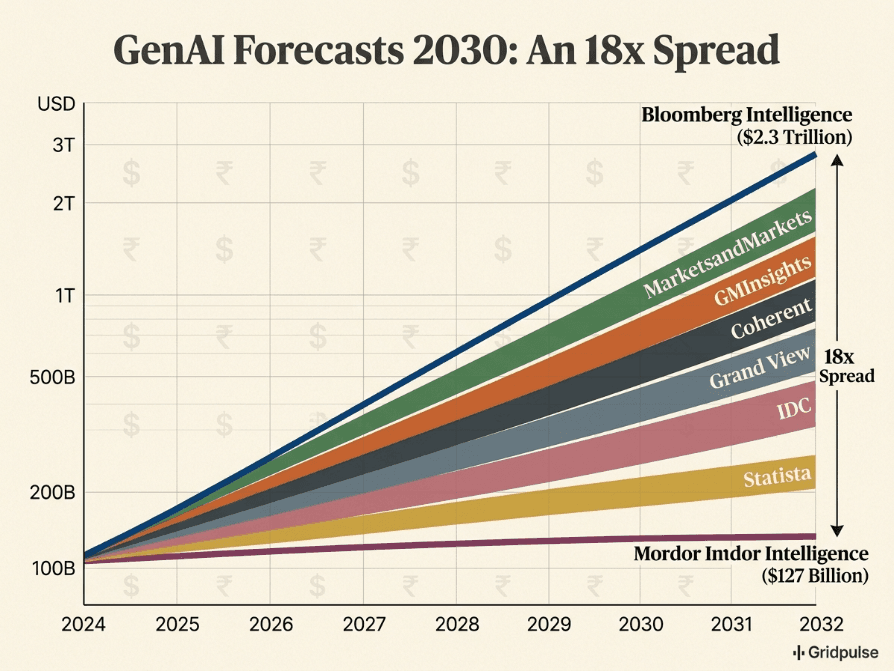
Bloomberg sees $2.3T. Mordor sees $127B. The same market, the same year — here's why every generative AI forecast through 2030 is fighting a different war.
Get weekly curations of the best articles, resources, and insights directly to your inbox about AI, Tech, Finance & Business.